Founded by colleagues and friends, Craig Ferrante and Josh Keehn, our company is dedicated to building innovative eCommerce solutions tailored for the spray foam insulation industry. With a shared vision and hands-on industry experience, we focus on streamlining online ordering, simplifying bulk purchases, and creating digital tools that make business operations smoother for contractors, suppliers, and distributors.
Our mission is simple: to modernize the spray foam industry with smart, accessible, and effective eCommerce solutions.
PROJECT SUMMMARY
Ever wish your customers could see every nut, bolt, and component of your products without flipping through manuals or guessing part numbers? Now they can, with Exploded Parts Views, the ultimate interactive parts catalog for WooCommerce!
✅ Visual Parts Diagrams – Transform complex equipment into easy-to-understand exploded diagrams. ✅ One-Click Add to Cart – No more searching by SKU, select the part right from the diagram and add it straight to the cart. ✅ Error-Free Ordering – Reduce mistakes by letting buyers visually confirm they’ve selected the correct part. ✅ Perfect for Service & Repair – Ideal for industries where replacing individual parts is critical.
Whether you’re selling spray foam rig components, industrial tools, or complex machinery, Exploded Parts Views makes it simple for your customers to find and order exactly what they need.
👉 Exploded Parts Views: Turn confusion into clarity, and browsing into buying.
Exploded Parts Views
This plugin is particularly valuable for industries where service, repair, and replacement parts are critical, providing customers with a clear and intuitive way to identify and purchase the exact components they need.
FEATURES OF NOTE
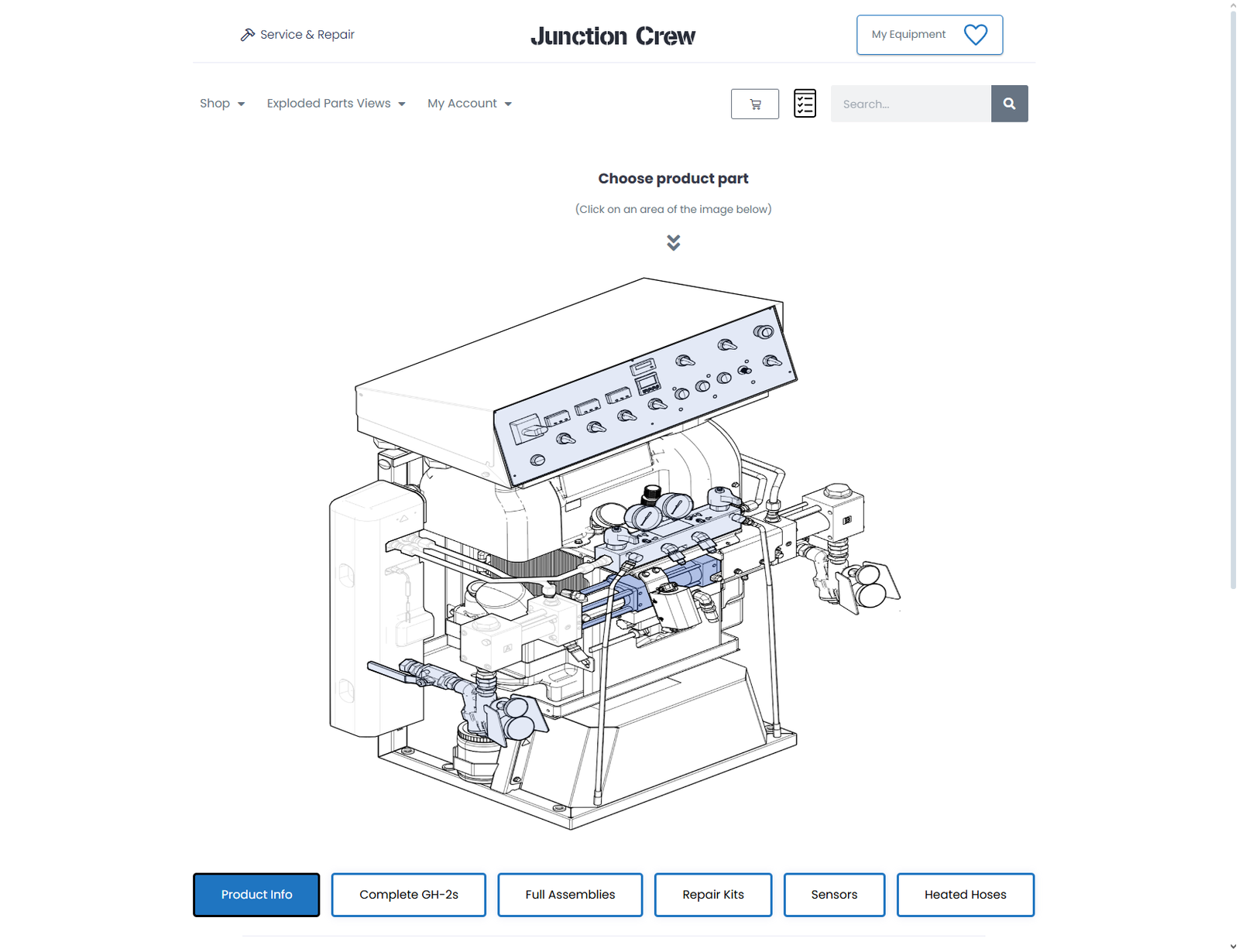
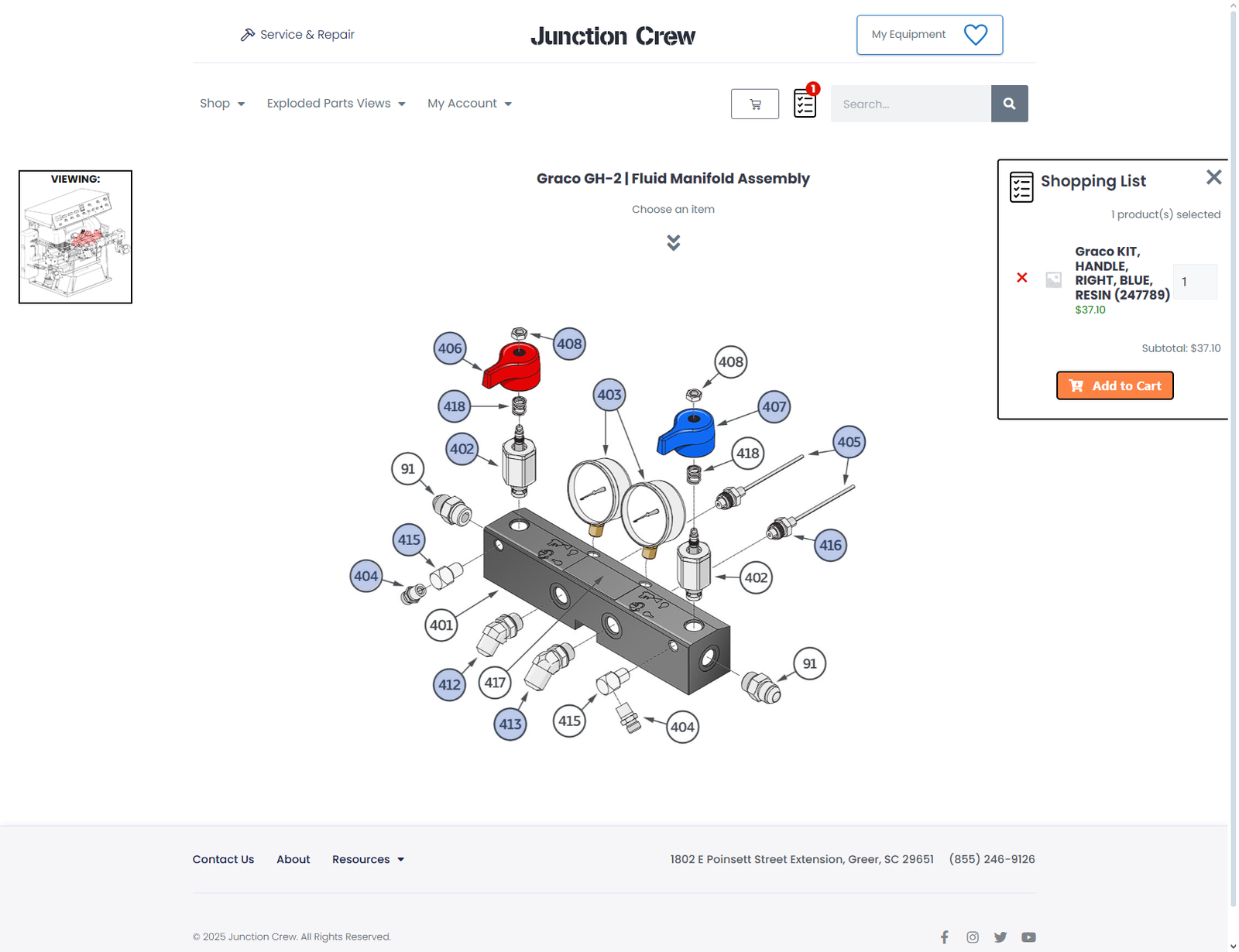
Interactive Exploded Diagrams – Equipment and assemblies are displayed with clickable hotspots for part selection.
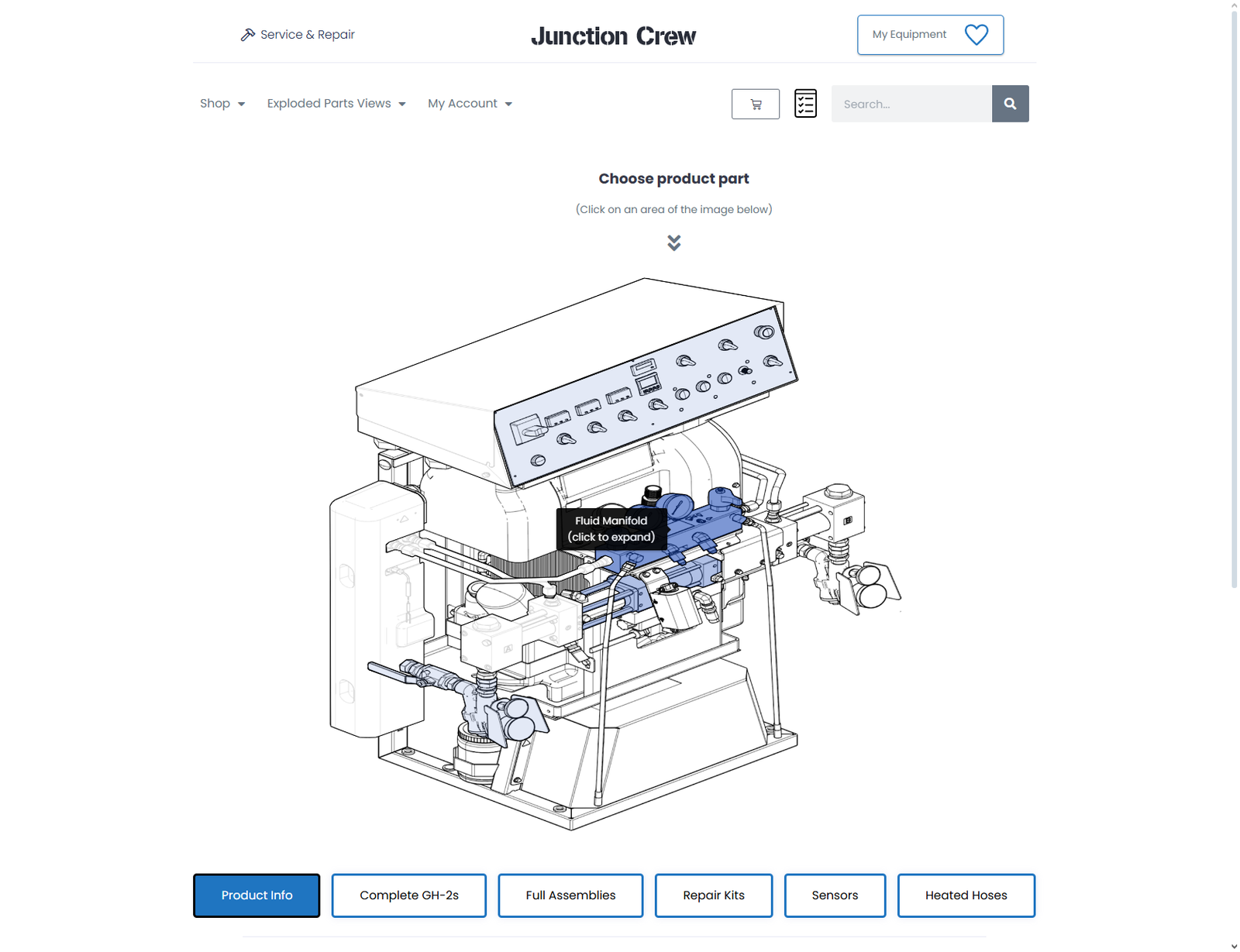
Two-Level Navigation – View entire equipment layouts or drill down into specific assemblies for detailed diagrams.
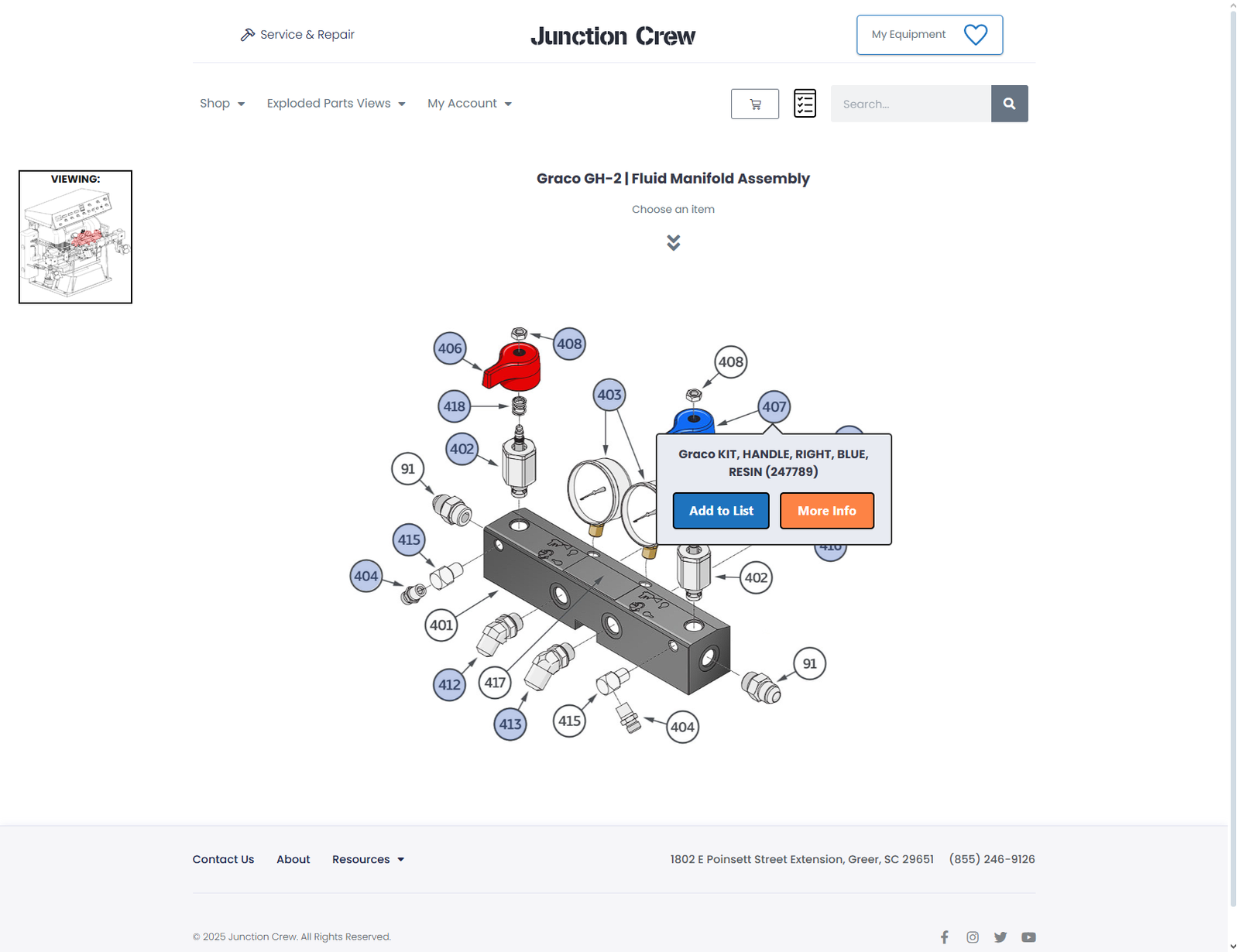
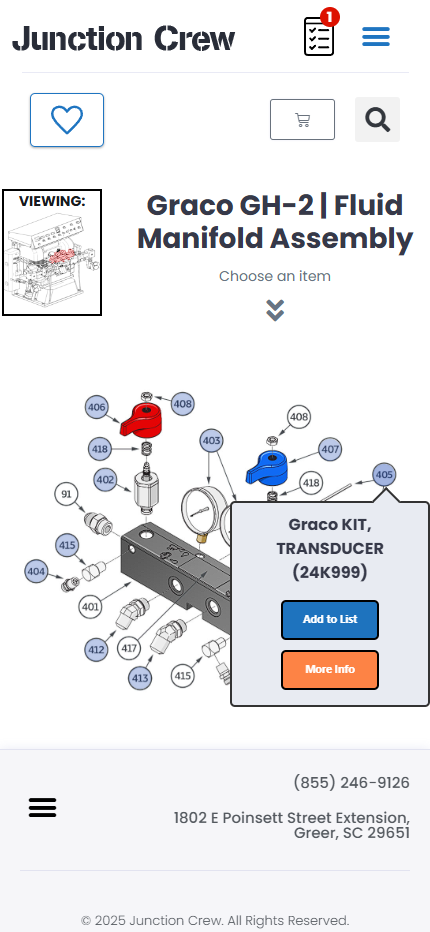
Hotspot Actions – Each hotspot offers two choices: Add to List or View More Info with a detailed popup.
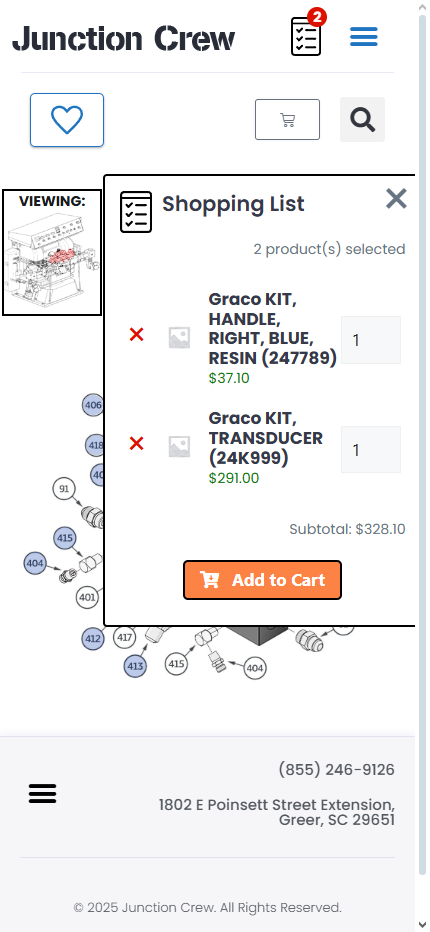
Shopping List System – A persistent, site-wide list where users can collect multiple parts before adding them to the cart.
Slide-Over Shopping List Panel – Accessible at any time via an icon, displaying all selected items in one place.
Seamless WooCommerce Integration – Parts are tied directly to WooCommerce products for smooth cart and checkout flow.
Persistent Data – Shopping lists are saved even if the user navigates away, allowing for flexible browsing.
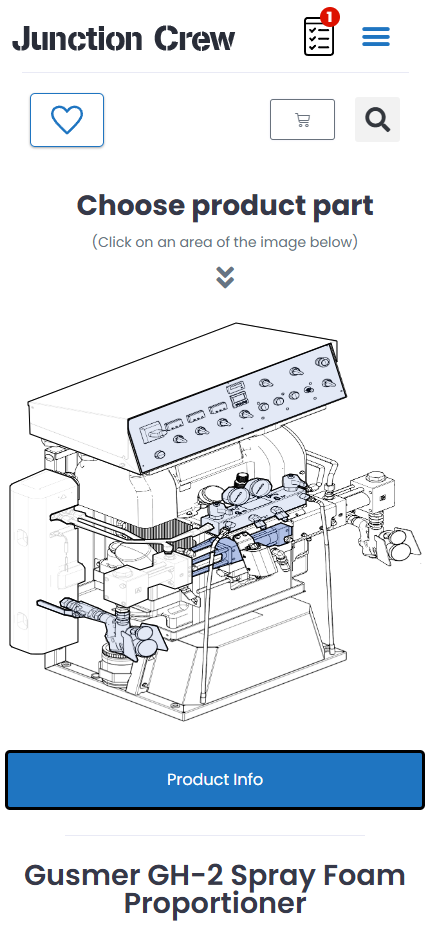
Mobile-Friendly Design – Fully responsive and optimized for smartphones and tablets—something lacking in other exploded view tools.
Enhanced Customer Experience – Reduces errors, speeds up part selection, and streamlines the ordering process for complex equipment.
Year
2022
Company
Terrabyte Dreams LLC
Built on
WordPress & WooCommerce
Current Version
1.1.8
This plugin is particularly valuable for industries where service, repair, and replacement parts are critical, providing customers with a clear and intuitive way to identify and purchase the exact components they need.
Exploded Parts Views
(Custom WooCommerce Plugin)
The Exploded Parts Views plugin is a custom-built WordPress and WooCommerce solution designed to simplify the process of browsing, identifying, and purchasing parts within complex equipment catalogs. Unlike traditional parts diagrams or static images, this plugin delivers an interactive, mobile-friendly experience that helps users find exactly what they need with minimal effort.
The system operates on two levels:
Full Equipment View – Users start with a complete diagram of the equipment (e.g., a Graco GH-2 Proportioner).
Assembly-Level Views – From there, users can hover over highlighted assemblies, click to drill down, and view detailed exploded diagrams of that specific assembly.
Each diagram includes clickable hotspots tied to specific parts. When a hotspot is selected, users are presented with two options:
View More Info – Opens a popup with detailed information about the part.
Add to List – Adds the part to a persistent shopping list within the plugin.
The shopping list acts as a staging area where users can collect as many parts as they like while navigating across assemblies or even leaving the page entirely. At any time, clicking the shopping list icon reveals a slide-over panel where all selected parts are stored. From there, users can add items directly to the WooCommerce cart to complete their purchase.
This approach allows customers to interact with equipment diagrams visually, eliminate guesswork, and build orders more efficiently. While similar exploded view tools exist online, this plugin stands apart as the first truly mobile-friendly version designed for WooCommerce.